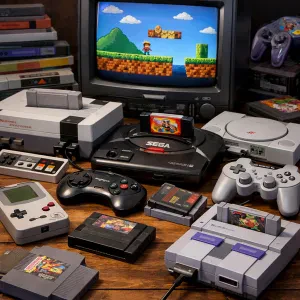
ChimeraOS is quickly gaining attention as one of the best Linux retro gaming distros available today. Designed to transform your PC into a console-like gaming machine, it combines modern PC gaming platforms with powerful retro emulation tools—all in a seamless, controller-friendly interface.
If you're looking to build a retro gaming PC or want a Steam Deck-like experience on desktop hardware, ChimeraOS is a compelling option.
What is ChimeraOS?
ChimeraOS is a Linux-based gaming operating system built on Arch Linux, specifically designed for a plug-and-play gaming experience. Unlike traditional Linux distributions, it removes the complexity and boots directly into a full-screen gaming interface.
This makes it ideal for:
- Living room gaming setups
- HTPC (Home Theater PC) builds
- Dedicated retro gaming machines
With zero configuration required, ChimeraOS is perfect for beginners and advanced users alike.
Why ChimeraOS is Ideal for Retro Gaming
When it comes to retro gaming on Linux, ChimeraOS stands out thanks to its deep integration with emulation tools and wide hardware compatibility.
Built-In Retro Gaming Support
ChimeraOS supports popular emulation frameworks like RetroArch, enabling gameplay across a wide range of classic systems:
- NES, SNES, Game Boy
- Sega Genesis / Mega Drive
- PlayStation (PS1, PS2, PSP)
- Nintendo 64, GameCube, DS
- Arcade systems
This makes it one of the most versatile emulation-focused Linux operating systems available.
Turn Your PC Into a Retro Gaming Console
One of the biggest advantages of ChimeraOS is its ability to turn any compatible PC into a gaming console.
Console-Like Features
- Boots directly into gaming mode
- Full controller navigation
- No desktop interface required
- Automatic system updates
- Minimal maintenance
This streamlined design makes ChimeraOS perfect for couch gaming setups and plug-and-play usability.
Modern Gaming Meets Retro Emulation
ChimeraOS isn’t just a retro gaming distro—it also supports modern game libraries, making it a complete gaming solution on Linux.
Supported Platforms
- Steam (native + Proton support)
- Epic Games Store
- GOG (Good Old Games)
This unified ecosystem allows you to manage both retro ROMs and modern PC games from a single interface.
Performance and Compatibility
Performance is a major strength of ChimeraOS. By leveraging Proton and optimized Linux gaming tools, it delivers impressive compatibility with Windows-based games.
Key Performance Benefits
- Lightweight operating system
- Optimized for gaming workloads
- Automatic compatibility fixes
- Strong GPU support
This makes ChimeraOS a solid alternative to Windows for retro gaming and modern PC gaming alike.
ChimeraOS vs Other Retro Gaming Distros
Compared to alternatives like RetroPie, Batocera, or SteamOS, ChimeraOS offers a unique hybrid experience.
What Makes ChimeraOS Different?
- Combines modern gaming + retro emulation
- Steam Deck-style interface
- Automated updates and maintenance
- Minimal setup required
While other distros focus purely on emulation, ChimeraOS bridges the gap between classic and modern gaming.
Pros and Cons of ChimeraOS
Pros
- Excellent retro gaming support
- Easy setup and installation
- Unified game library
- Controller-first interface
- Automatic updates
Cons
- Limited desktop functionality
- Not suited for productivity tasks
- Some compatibility limitations
Who Should Use ChimeraOS?
ChimeraOS is ideal for:
- Retro gaming enthusiasts
- Console-style PC gamers
- HTPC and living room setups
- Users wanting a Steam Deck-like experience
- Beginners looking for a simple gaming OS
Final Verdict: Is ChimeraOS Worth It?
If your goal is to create a dedicated retro gaming system or a console-like Linux gaming PC, ChimeraOS is one of the best options available.
It successfully combines:
- Powerful retro emulation
- Modern PC gaming support
- A simple, console-style user experience
For anyone interested in Linux retro gaming, ChimeraOS is absolutely worth trying. Find out more by clicking here.